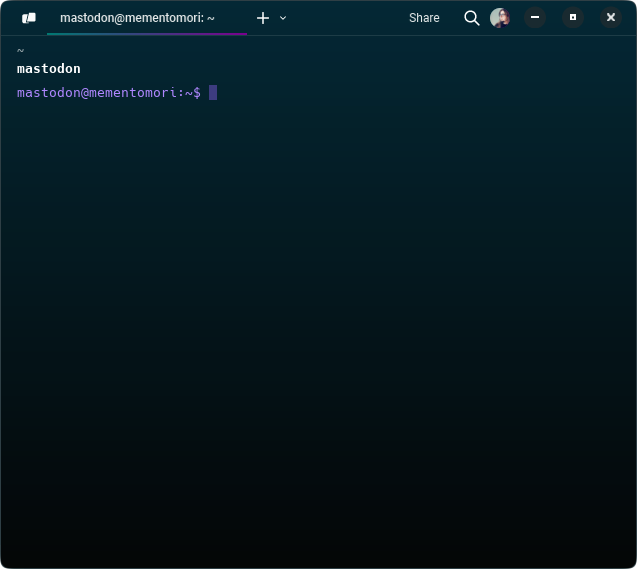
Happens to all of us sometimes.
However, what I learned is I should finally really change the color of each prompt for every single server I have. I have dozens of them. I'm lazy that way, I just customize my local prompt but rarely do it on production servers, despite how easy it is.
For Mastodon my prompt is deep purple, like it should.
```bash
PS1="\[\e[38;5;141m\]\u@\h:\w\$ \[\e[0m\]"
```
Here are my other prompts, feel free to use these colors in your .bashrc:
```bash
PS1="\[\e[38;5;99m\]\u@\h:\w\$ \[\e[0m\]" # Light Purple
PS1="\[\e[38;5;141m\]\u@\h:\w\$ \[\e[0m\]" # Pastel Purple
PS1="\[\e[38;5;183m\]\u@\h:\w\$ \[\e[0m\]" # Lavender
PS1="\[\e[38;5;217m\]\u@\h:\w\$ \[\e[0m\]" # Light Pink
PS1="\[\e[38;5;216m\]\u@\h:\w\$ \[\e[0m\]" # Peach
PS1="\[\e[38;5;117m\]\u@\h:\w\$ \[\e[0m\]" # Sky Blue
PS1="\[\e[38;5;159m\]\u@\h:\w\$ \[\e[0m\]" # Soft Cyan
PS1="\[\e[38;5;121m\]\u@\h:\w\$ \[\e[0m\]" # Mint Green
PS1="\[\e[38;5;229m\]\u@\h:\w\$ \[\e[0m\]" # Soft Yellow
PS1="\[\e[38;5;210m\]\u@\h:\w\$ \[\e[0m\]" # Light Coral
```
#Linux #SysOps #SysAdmin #Server