Event JSON
{
"id": "ef01dfb064c789f44adda7d200454a9efa798cd7269f490931cba4f60fb04636",
"pubkey": "06af7e666bce8fa5be25fc25ea6333d51f6e24c46139fe240ac322bebdd9461c",
"created_at": 1777822445,
"kind": 1,
"tags": [
[
"t",
"amiga"
],
[
"emoji",
"amiga",
"https://assets.merveilles.town/custom_emojis/images/000/123/193/original/e81907abf4f8fec6.png"
],
[
"proxy",
"https://merveilles.town/@voxel/116511371802275000",
"web"
],
[
"imeta",
"url https://assets.merveilles.town/media_attachments/files/116/511/368/528/220/759/original/a558424247b7893f.png",
"m image/png"
],
[
"proxy",
"https://merveilles.town/users/voxel/statuses/116511371802275000",
"activitypub"
],
[
"L",
"pink.momostr"
],
[
"l",
"pink.momostr.activitypub:https://merveilles.town/users/voxel/statuses/116511371802275000",
"pink.momostr"
],
[
"-"
]
],
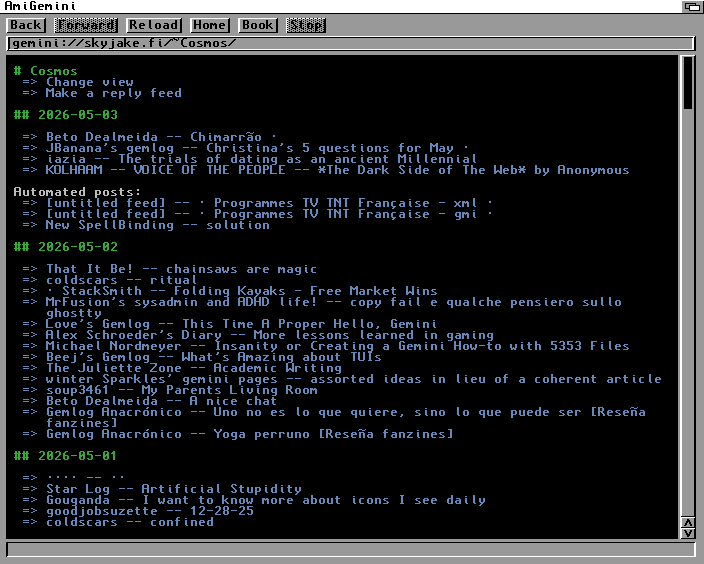
"content": "Gemini is *almost* perfect for browsing on retrocomputers. The SSL requirement is a big hurdle though. I wanted to use AmiGemini to browse gemini capsules on my :amiga: #Amiga which doesn't quite have enough RAM for SSL support, so I modified a local nginx instance to proxy the requests and do all the SSL nonsense. I'd prefer to keep it all happening on the Amiga but this is a good compromise.\n\nBlogged the config in case it's helpful to someone someday, but please read the whole article first if you plan on using it.\nhttps://www.thomaspurnell.com/020_AmiGemini_nginx_forward_proxy/gemini_nginx_forward_proxy.html\nhttps://assets.merveilles.town/media_attachments/files/116/511/368/528/220/759/original/a558424247b7893f.png\n",
"sig": "efee8881ec03da49bfc7ddba3605a2eb4f6ae2bdec53e204915d4e26181618c439481698fd1c993acf1edd68fe26a83677b705a8fa4368d6210e42e8baf601f4"
}

 #Amiga which doesn't quite have enough RAM for SSL support, so I modified a local nginx instance to proxy the requests and do all the SSL nonsense. I'd prefer to keep it all happening on the Amiga but this is a good compromise.