quoting naddr1qv…tu74
A Hallway is not one single thing. They are, instead, highly customizable relay-centric clients for your edgeless communities. Unlike most nostr clients, which depend on the individual to manage everything about their experience from the start, Hallway allows you to create a set of relevant, engaging, spam-free feeds for welcoming people into your edgeless community through a custom tailored social environment. Designed with Pyramid in mind, Hallway allows you to bring all aspects of your edgeless community together into a single, easy to navigate surface for your members. Beyond feeds, the Hallway deployer also enables you to set up an array of other default configurations for user-respecting inboxes, collective media storage, and Pomegranate (Google) login. Each of these user-safe features can be overridden by the individual, as they learn to navigate beyond your edgeless community.
This isn't to say that Hallways are only for beginners. Since they are both customizable and relay-centric, you will find many rare and unique-to-hallway features, for a rich, interactive relay browsing experience that is unavailable anywhere else. There are far too many nuances to list all of them here, but let's take a quick look at a few of those unique features:
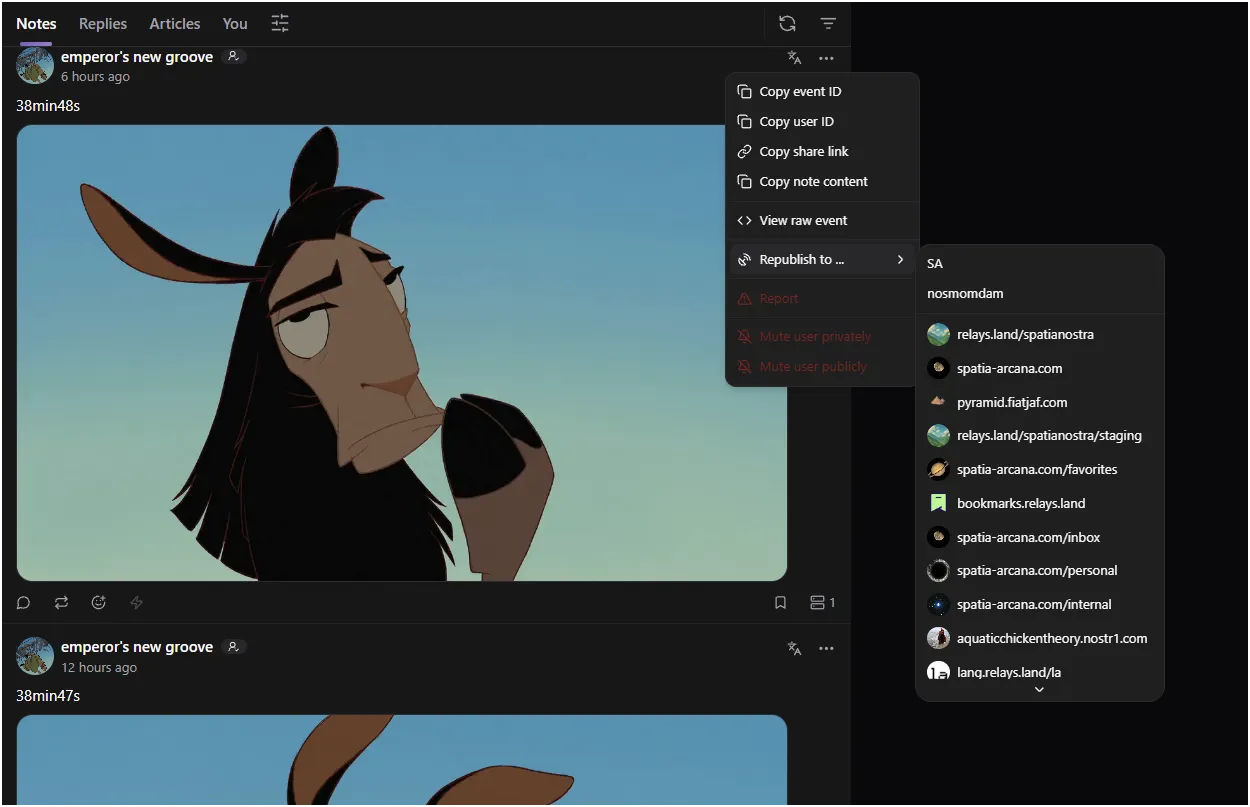
Republishing - curate and bookmark by sending a single event to a single relay:
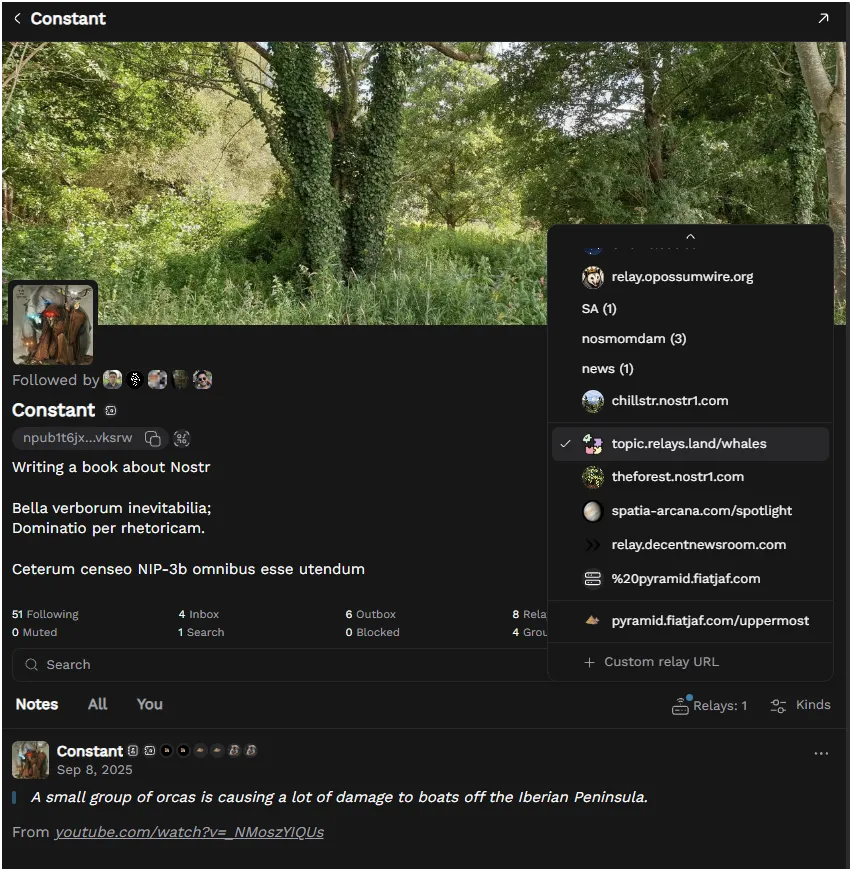
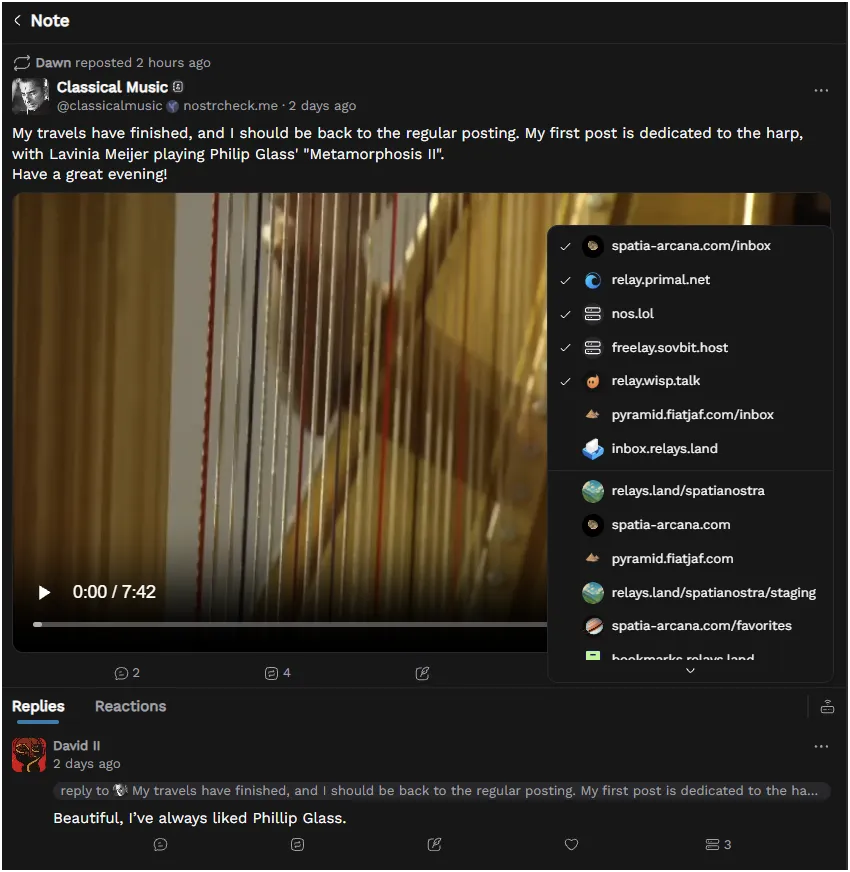
Multi-view Reply Sections - browse the default replies of a user's inboxes (+customizations) or switch to view replies hosted on any other relay:
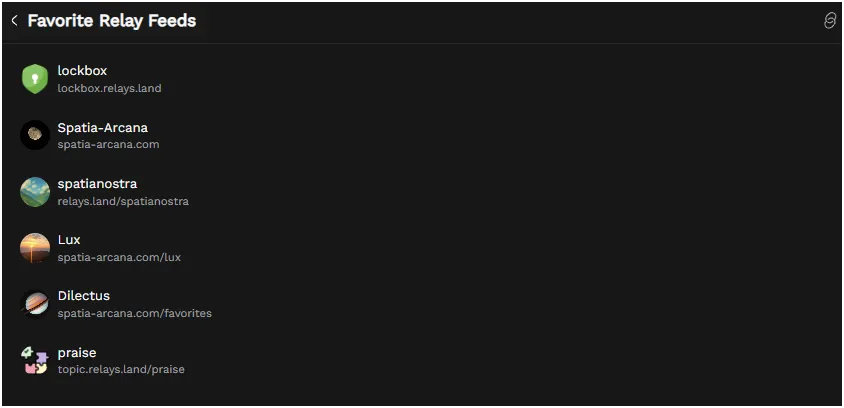
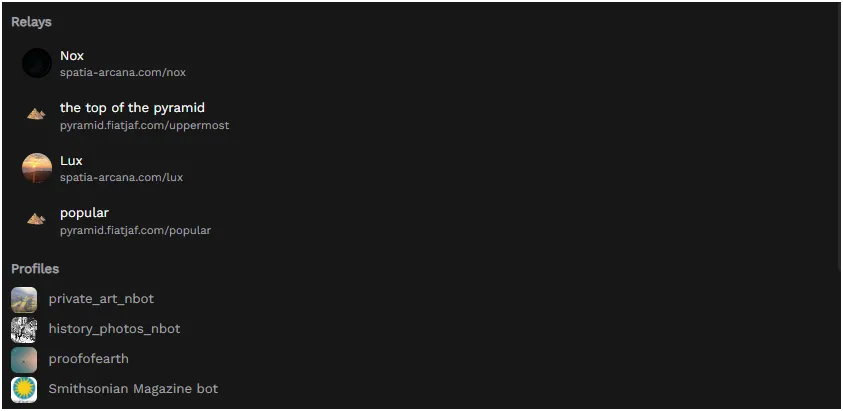
Sharable Relay and Group Lists - visit any users profile to find their favorite relay feeds & chat groups, copy and share these lists in just a few clicks:
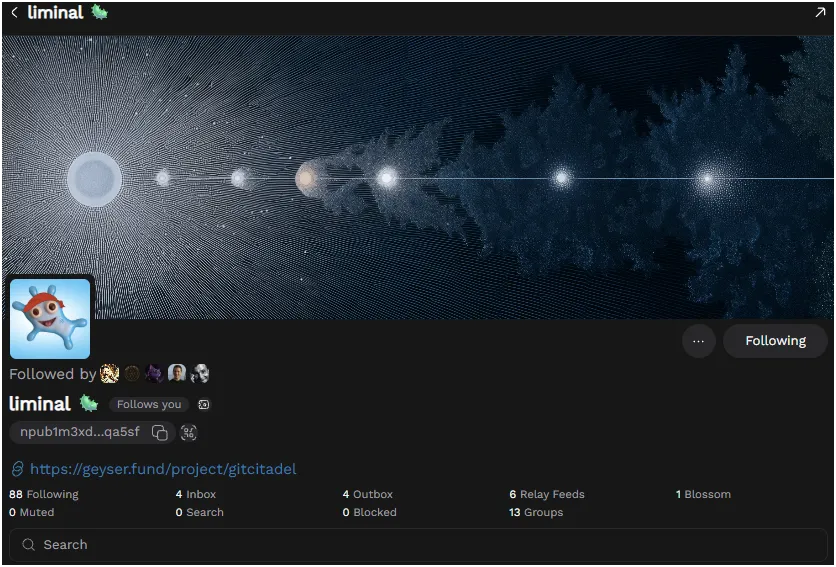
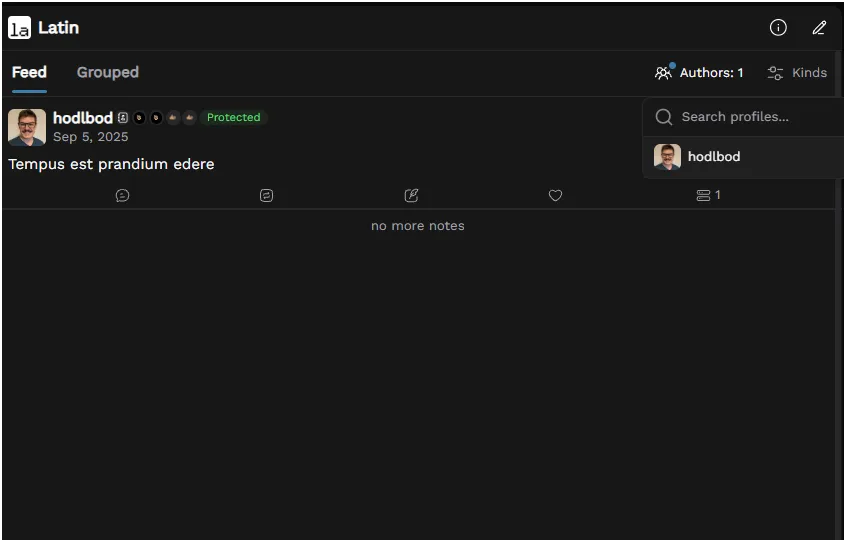
Filter views by relay, author, and event kind - search a profile for content hosted on a single relay, or search a relay view for an author's content:
Once configured, your Hallway can go live through a couple different options. Most simply, the deployer launches your Hallway through Netlify, an easy to use cloud computing service that offers free and paid tiers, with the ability to cusomize your client's domain name to match your brand or edgeless community. Alternatively, Hallways can be forked from within any instance of itself, customized, and deployed from your blossom servers and relays, for a highly available client that is not dependent on any 3rd party services beyond your server's hardware.
For more detailed information on customizing and launching Hallway for your edgeless community, check here.
Visit edgeless.technology for other tools and clients that can benefit your community.
If you have decided that a Hallway client is right for your edgeless community, this guide is here to help you get started. The Hallway deployer will walk you through every step, and its pre-determined smart defaults can act in place of customizations that you don't understand or don't want to change. Still, this guide is here to help answer any questions you may have, especially if you are new to edgeless technologies.
Preparation:
Hallways can be updated with changes at anytime. For the purposes of this guide, we will assume that you are using the Netlify method of deployment. To save yourself the time and credits of revisiting the deployer to make changes, here are a few things to think through. If you are deploying Hallway as an nsite, some of these points may not matter, others may matter even more, as editing a Hallway nsite is not as straight forward as doing so within the dedicated deployer. Will you be creating a Hallway as an interface for your own Pyramid relay server? If so, which parts will be the most useful to surface for your community members? You may want to showcase only curated feeds or perhaps also the wider community space. - Will you be showcasing content from other communities or from specific individuals? If so, on which relays is this content hosted? Who are the authors you would like to highlight? You will need to have on hand, the relay server addresses and any npubs for the external content that you would like to present to your visitors. - What logo, icon, or identifier will you be applying to represent your edgeless community? Have these files handy and maybe consider a color scheme that may match the look and feel that you want to convey. - Will you be hosting media and other files alongside your community relay server? If so, have those addresses ready. If you are deploying for a community hosted on a Pyramid relay, do you have file storage enabled for your group? And if you will not be hosting files, which public media server will you be recommending to your community members? Free options are okay but check the sites of potential providers for any user limits, guidelines, or misalignments with the type of content that they host versus that which your community may be producing.
Getting Started:
- You will first need to set up a Netlify account. Opt for the free option until you know if your usage needs will outpace the free tier. In the event your community is burning up your available credits on bandwidth before it resets each month, you can upgrade to a paid plan, if you'd like. Alternatively, you can fork your own Hallway into an nsite and operate off of the available compute of your own VPS (virtual private server).
- With your new account created, visit the Hallway deployer to begin the process, You will be asked to sign in and authenticate to Netlify. This give the deployer permission to send the appropriate files to your account and allows them to be compiled and launched without further steps.
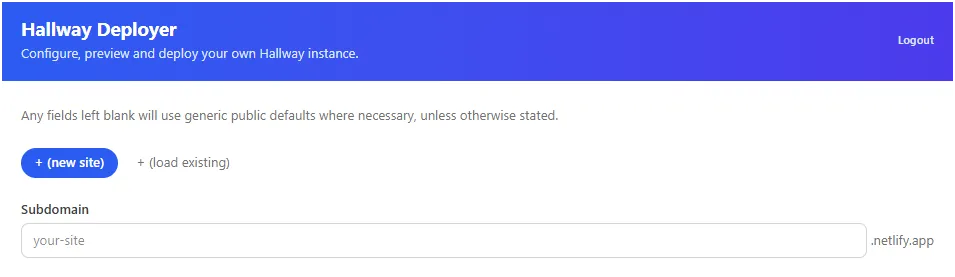
- After authenticating, you will be met with the deployer's in-depth form for creating your customizations. Firstly, choose the 'new site' option to create your new Hallway instance. Later, if you need to make changes to it, you would choose the "load existing site' option.
- The first field is for your chosen Netlify subdomain. Regardless of whether you later choose to point a custom domain at your site or not, choose something memorable for this slot. You will need it access the files for this Hallway, if you want to make adjustments in the future.
Site Settings:
- The first few questions will be in relation to branding and appearance. Here, you will upload any logo or name that you would like to display. If these fields are left blank, they will default to the Hallway branding that is displayed above. You will also find fields for avatar shapes and home markdown. This markdown space can be used to convey any information you want about your client, your edgeless community, the showcased content, or whatever else. This will be the first thing visitors will see upon arrival to your Hallway. It can act as a place to list administrator contact methods or instructions on how to join your community.
- In between, you will see a field for "base share URL". This field is for defining the site with which to open nostr links for external sharing. The nostr network operates in a separate manner than most of the internet. As such, so does your edgeless community. These sites act as a bridge between worlds, so that you and your members can share profiles and content with anyone, regardless of whether they are currently participating in the nostr network or not. If all of this sounds a little foreign at the moment, that's okay. This is where Hallway's smart defaults start come into play. You can leave this field blank and shared links will function as expected. Later, if you find provider that you particularly like, you can revisit the deployer and make the appropriate changes.
- Next you will move into creating fixed feeds. This is what really starts to bring your custom client to life. You can create feeds of the content hosted on relay servers, written by certain authors, or mixes of these things. You can even choose which content types you would like to display in these feeds. You just want to display articles and highlights from a single aspect of your community's curations? Sure! Visit this Nostr Event Kind Registry to find event kind codes for each content type, then just enter them into the fixed feed fields provided alongside of the relay addresses and authors. If you are looking to set up a rigid community, with little exposure to the wider network, this is also where that process will start. You can choose to display feeds that are only accessible to signed-in community members here, or any mix of open and closed feeds for a more flexible community.
User Defaults:
- Here you will find settings related to what your visitors and members will see when they visit your edgeless community, that they can easily change to customize their own view, such as color schemes, dark/light themes, notification layouts, feed styles, and more. Most of these are self-explanatory, but if you have questions regarding anything in Hallway or the deployer, you can visit this chat group and ask.
Reply Sources and Publish Targets:
These steps enable you to broadly loosen or strictly tighten the edges of your community.
- By default, your Hallway will display replies that are hosted on the original author's inbox relays. If you would like your Hallway instance to only display replies from within your community, you can opt to enter your Pyramid's inbox address here and click the "only use these relays" option. This will disregard the replies hosted on the author's inboxes and only display content from within your community, in the default view. If you would like to extend the edges of your community, you can choose to add your community's inbox without checking the "only" option or choose to add any other relay as a reply source. In any scenerio, the reader can choose to explore comments and replies from external relay locations through the relay icon at the top of any reply section in your Hallway.
- Similarly, publishing targets can be used to add a relay server or to create limits to which relays an author will be publishing. You can choose to allow publications to only be sent to your community's relay server or you can add additional locations, in addition to the author's unique relay list. An additional publishing target is handy if, through future planning, you host a separate backup relay for your community, in case the original should have problems. As with replies, these operator-chosen default safety settings can be overridden by the author, if they so choose. At any point, the individual can choose to write to unlisted relays or opt out of publishing to the community relay server all together, from within the same Hallway instance.
Relays:
This section of the deployer form addresses the relays used to perform many background services, as well as a few things that will be readily available to your members. If you are new to edgeless technologies, skip over any fields that seem unclear to you, Hallway's smart defaults will fill any void in your knowledge base until you can learn further what function each relay type performs. Some important fields to pay attention to now: - Default Inbox Relays: Any profiles created with your Hallway will be assigned the inbox relays listed here. To help prevent spam and unwanted replies from annoying your members, it is recommended to set 2-3 prescreened inboxes for this space. You can use your Pyramid's inbox as one entry here and ask new community members follow your [customized onboarding plan] to have immediate full access to your edgeless community, with safe, clean replies, regardless of which edgeless client they may use to access your community later. (If no inboxes are set in the deployer, your Hallway will default to assigning free, public relays, which may or may not be spam vectors. I highly recommend setting safe inboxes for potential users, even if they are simply monitored relays, run as a public good.) - Default Outbox Relays: Again, each profile created from your clients will be set up with a list of relays for publishing. You can opt to only include your community's relay server here. If your community members would like to leave and participate in other communities or a wider network, they can always adjust their lists later. (For redundancy, the sake of autonomy and to encourage exploration of a new and exciting communication system, I would recommend including one other relay outside of your edgeless community in this space. There are many open, low spam relay servers active. Doing so gives your members an additional place to explore, an extended network of individuals to reach, and better grasp on how these communication standards work.) - Default Blossom Servers: Your community members will likely want to share pictures, videos, and other media files. If you have Blossom activated on your Pyramid relay, you can enter the URL here. Alternatively, you can choose a Blossom media host that is not connected to your community, giving users the option to explore 3rd party services while saving storage space on your VPS. Again, it is advised to prescreen any 3rd party service providers for potential conflicts of interest in policy preferences and the type of media hosted before entering a provider here.
Miscellaneous:
The remainder of the deployer contains a lot of nuanced settings for specific displays and tasks. It is safe to assume the defaults will work for anything that may be irrelevant to your group or that you do not understand. Again, any of these can be readdressed as you learn or as the need for adjustments arises. If you want to learn more about any of these options, visit the Hallway chat group or plan to join a Study Group session. A couple of miscellaneous settings that you may find useful right away include:
- Client Handlers: Hallways can display many content types, but they do not fully display all of them. If you choose a content type that is only displayed as a preview, you can opt to have those events open in a client better suited for the job. This is applicable to things like live streams, books, and group chats. As you find specialized clients that you like, you can choose to support them by adding them as defaults in your Hallway.
- Translations/Translation URL: Hallway's default language is English, but that is not suitable for many communities. You can manually enter translations to any language, directly inside the Hallway deployer. Alternatively, you can choose a translation provider and enter it in the URL space provided, to display your Hallway in your chosen language. (Translation does not apply to author's individual notes. That is a separate service that the reader must choose to use.)
##
To schedule further guidance or consultation about edgeless communities, Hallway, or any other edgeless technologies, visit edgeless.social. Click here to see an example Hallway in action.
#ndoc


#ndoc