Event JSON
{
"id": "faf421d82f1f046dddd71efab50f58d1a32bf9a4f123484073ca58d687c90cd1",
"pubkey": "513397d5ba3bc40b64d9741c3e28484507f41d8c63266b28020eee0e39fee781",
"created_at": 1741949890,
"kind": 1,
"tags": [
[
"t",
"hardware"
],
[
"t",
"opensource"
],
[
"t",
"vollaostipp"
],
[
"imeta",
"url https://files.mastodon.social/media_attachments/files/114/160/420/817/968/372/original/52bba955999b8248.jpg",
"m image/jpeg"
],
[
"t",
"remscheid"
],
[
"t",
"freedom"
],
[
"t",
"software"
],
[
"t",
"germany"
],
[
"t",
"volla"
],
[
"t",
"tutorial"
],
[
"proxy",
"https://mastodon.social/@volla/114160427999084517",
"web"
],
[
"t",
"vollaos"
],
[
"t",
"dataprotection"
],
[
"proxy",
"https://mastodon.social/users/volla/statuses/114160427999084517",
"activitypub"
],
[
"L",
"pink.momostr"
],
[
"l",
"pink.momostr.activitypub:https://mastodon.social/users/volla/statuses/114160427999084517",
"pink.momostr"
],
[
"-"
]
],
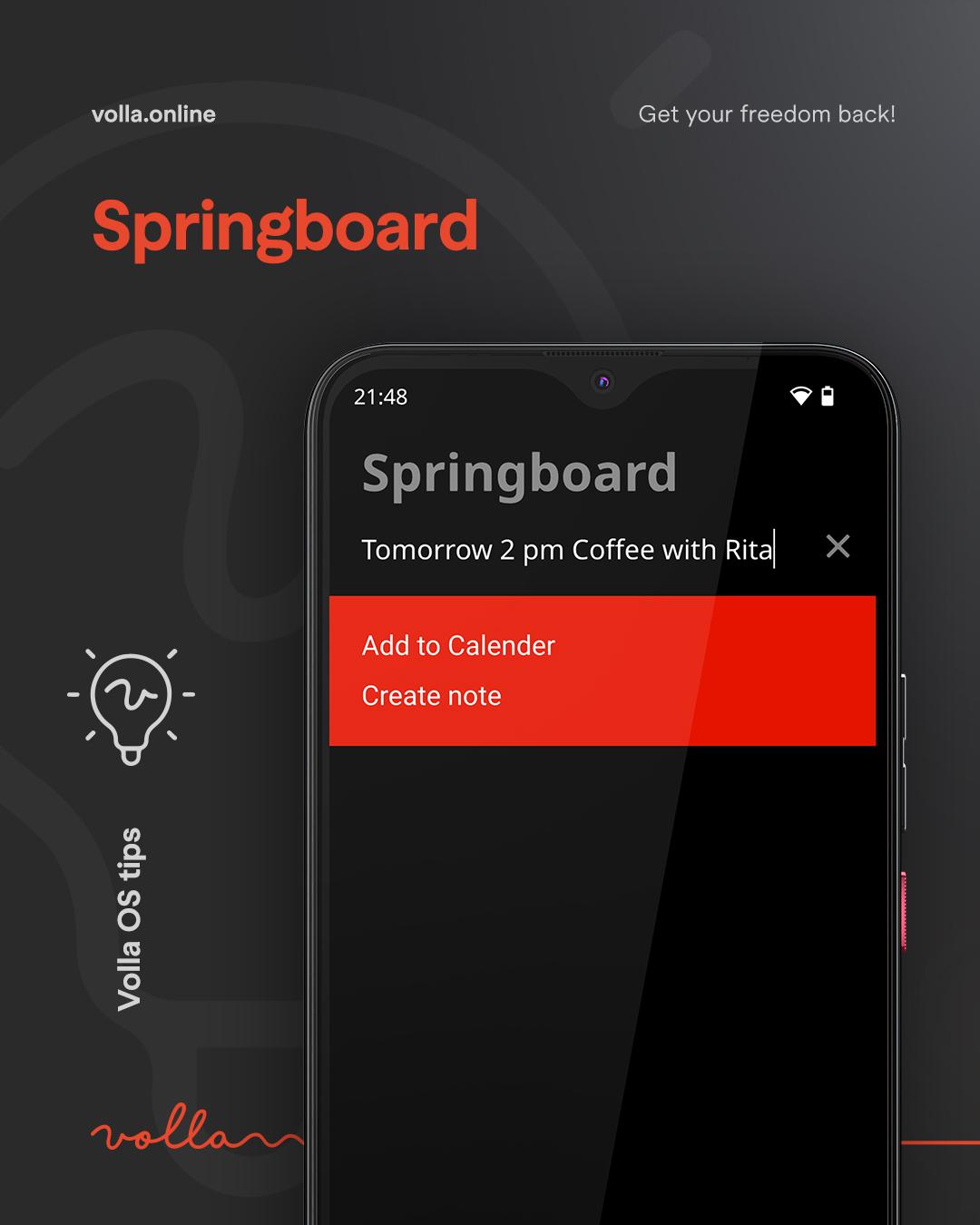
"content": "Volla OS tip\n\n✅ Create calendar entries via the springboard\n\nThe text field on the springboard anticipates what you want to do. To do this, you must enter a future time, e.g: Friday morning or tomorrow morning, optionally with a time. \n\nThe system will suggest “Add to calendar” and you can complete the entry in the calendar by tapping on it.\n\n#volla #vollaOS #vollaOSTipp #opensource #software #hardware #germany #remscheid #tutorial #freedom #dataprotection\nhttps://files.mastodon.social/media_attachments/files/114/160/420/817/968/372/original/52bba955999b8248.jpg\n",
"sig": "897026d14aeb2277eefbccb159a671c145c99df2f99dfdbfdf529ba621f61c32983d52200cf3171e3644cb9a8c2c5df91e8fb1d9c5e810718f83ec1a953bbdc0"
}